So you hit this problem :
Failed to start monitoring changes to 'Z:\....'
What happened ? Why it didn't work ? Where did you put my cheese ?
Well the reason it didnt work is because Visual Studio (or the ASP.NET Worker process) monitors your web.config file for changes. I think this only happens if you use the default web server that comes with Visual Studio. I haven't tried IIS but I believe this will not happen. This seems to be an issue more on security where the process is requesting to access that drive. But since access on the folder from your mac to the VM may not be an option to configure (maybe hard, not sure but I decided not to follow that path), the next thing you can do is to disable the file change notification.
- On your windows, open up your registry editor by going to regedit.
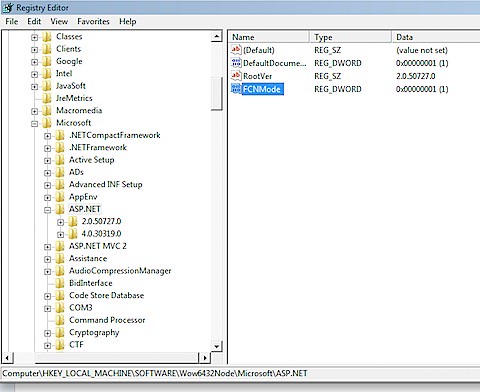
- For 64-bit, go to HKEY_LOCAL_MACHINE\Software\Wow6432Node\Microsoft\ASP.NET
- For 32-bit, go to HKEY_LOCAL_MACHINE\Software\Microsoft\ASP.NET
- Create a Dword called FCNMode and assign a value of 1.
- Restart your machine.
Here's hows my registry looks like.
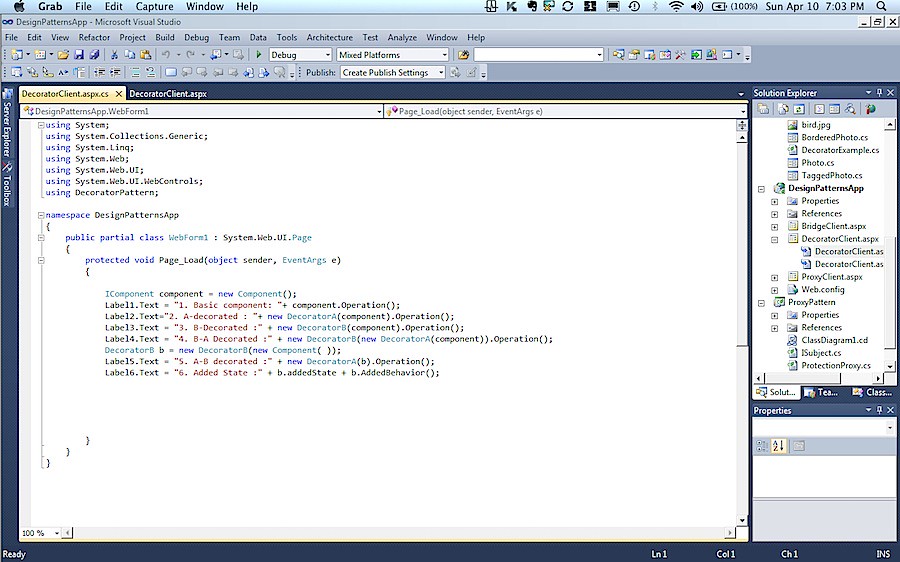
Here's my VSStudio 2010 on MacOSX with my DesignsPattern solution open.
Running this :
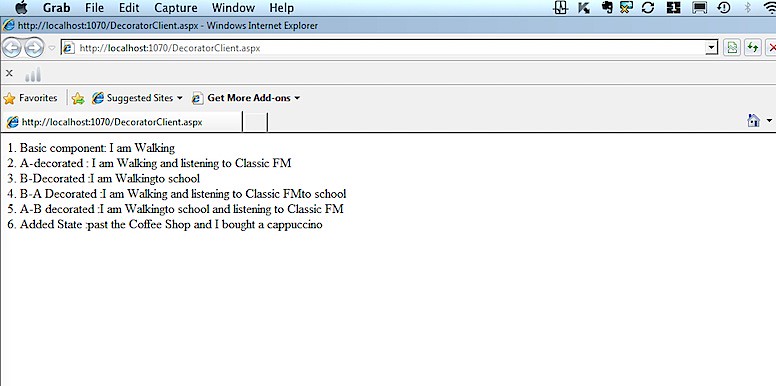
No Errors..
Ciao...


Thanks, this worked perfectly for me
ReplyDeleteRunning Visual Studio 2010 on older or limited hardware environments was a common challenge for developers who wanted to work with Microsoft development tools efficiently. Visual Studio 2010 introduced advanced features for application development, debugging, database integration, and user interface design, making it a powerful IDE for software engineers and students. Optimizing the installation and performance of Visual Studio on systems with limited resources required proper configuration, compatibility settings, and efficient memory management techniques. Students interested in desktop application development and modern programming environments can explore Web Development Projects to gain practical exposure to software development workflows, system integration, and enterprise application design.
DeleteDevelopment environments such as Visual Studio play a major role in building scalable applications using technologies like C#, ASP.NET, SQL Server, and .NET frameworks. Understanding IDE optimization, debugging tools, and project configuration helps developers improve productivity and software performance during application development. As modern development practices continue evolving, integrated development platforms remain essential for creating reliable and efficient software solutions. Learners who want to strengthen their programming and application development skills can also refer to Python Projects For Final Year to understand how modern programming technologies are used in building automation systems, web applications, and intelligent software solutions.
DeleteNo problem SJLee.. thanks!!
ReplyDeleteGreat, thanks!
ReplyDeleteThanks!!!
ReplyDeleteThanks! really works. Build succeeded.
ReplyDeleteYOU ARE A GOD! Thanks so much for this fix! I never ever ever ever would have figured this out on my own.
ReplyDeleteGreaat reading this
ReplyDelete